
Three ways to put AI to work in NetSuite — what each one costs, where each one breaks, and which to try first.
Every NetSuite conversation we have right now ends up at the same question: “so… can we use AI with this?”
The honest answer is yes — but “AI with NetSuite” now means at least three quite different things, at three different levels of effort, cost and risk. Most of the confusion we see comes from people comparing them as if they were the same thing.
This guide sets out what’s genuinely available today, what it looks like in practice, and where the real work is. No pitch, no hype — just what we’ve learned running this in live NetSuite accounts.
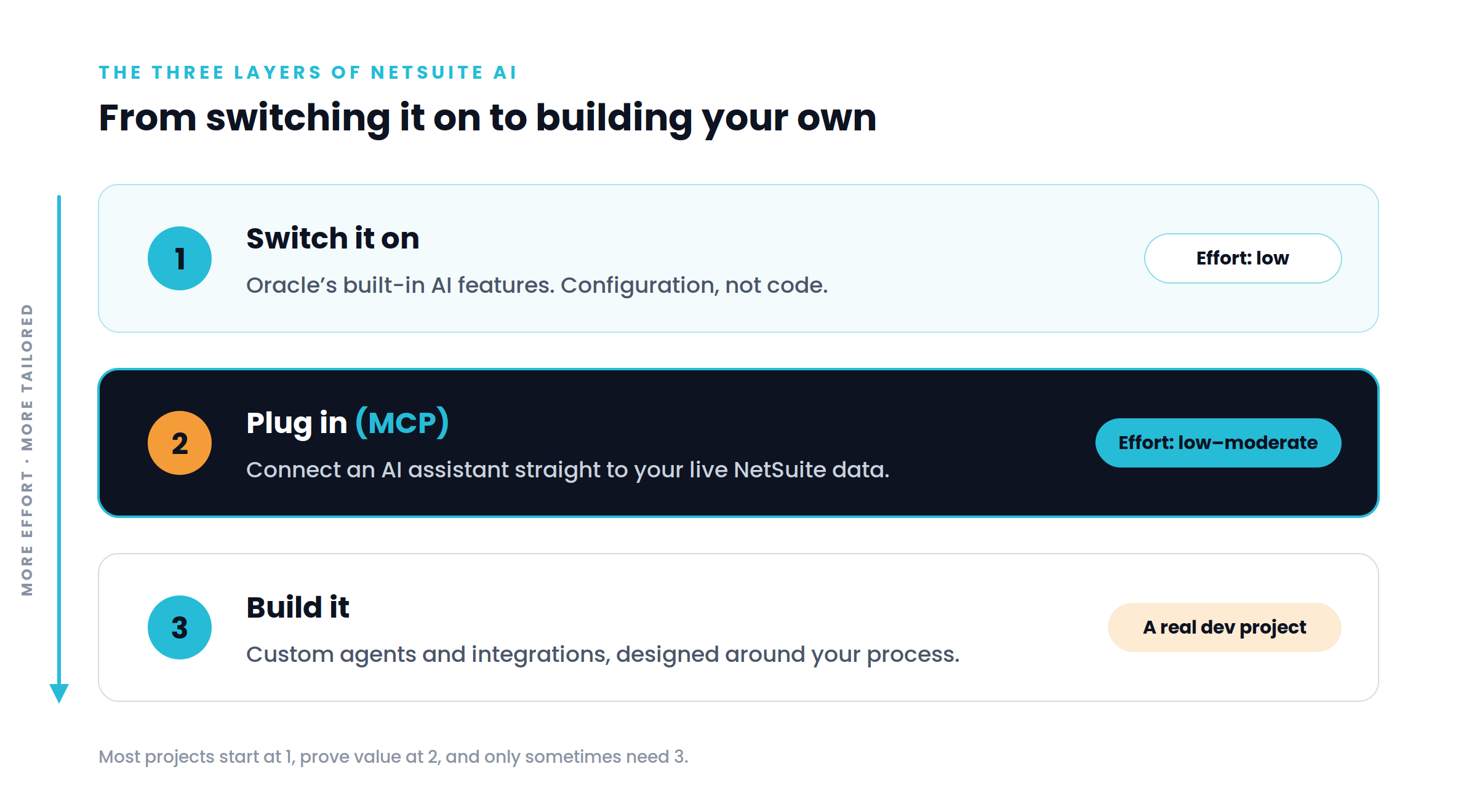
NetSuite ships with AI capabilities built into the product. Depending on your version and licensing, this can include generative text assistance in record fields, document capture for supplier bills, anomaly and exception surfacing in financials, and analytics features that suggest insights rather than waiting to be asked.
Effort: low. This is largely configuration and enablement, not development.
Where it helps: speeding up work people already do inside NetSuite — drafting text, coding invoices, spotting outliers at close.
Where it stops: it works within NetSuite’s own screens and its own idea of what you want. You can’t point it at a novel question or wire it into a process that spans other systems.
If you haven’t reviewed what’s already switched on in your account, start here. It’s the cheapest win in NetSuite right now — and most accounts have it switched off.
This is the layer generating the most interest right now, and the one people understand least.
MCP — the Model Context Protocol — is an open standard for letting an AI assistant talk to an external system in a structured, permissioned way. Instead of copying data into a chat window, the assistant connects to NetSuite directly and can query records, run searches and read reports as itself, using its own access rights.
The practical effect is that you stop building a report for every question. Someone types:
…and gets an answer built from live data, without a developer writing a saved search first.
Effort: low to moderate. The connection itself is not the hard part.
Where it helps: ad-hoc analysis, reconciliation, data quality work, and pulling together information that currently spans several saved searches and a spreadsheet.
Where the real work is: permissions and governance. An AI assistant connected to NetSuite inherits whatever role you give it. Give it too much and you’ve created a data exposure route that doesn’t appear in any of your existing controls. Give it too little and it’s useless. Getting that boundary right — a purpose-built role, least privilege, scoped to the questions you actually want answered — is the difference between a useful tool and an audit finding.
This is where we spend most of our time on these projects, and it’s the part that gets skipped.
The third layer is building something that doesn’t exist yet: an AI-driven process tailored to how your business actually runs.
Examples of the shape this takes:
Effort: genuine development work, with the same design, testing and deployment discipline as any SuiteApp or customisation.
Where it helps: processes that are high-volume, judgement-heavy, and currently done by a person copying between screens.
Where it stops: anything where a wrong answer is expensive and unreviewable. AI-driven steps belong where a human still checks the output, or where the cost of an error is low and recoverable.
If you’re trying to work out what’s realistic for your account, a reasonable sequence:
We’re a NetSuite development partner and we run this in our own accounts daily — MCP connections against live NetSuite data, custom integrations, and the role design that makes both safe.
Tell us the process you’re trying to fix and we’ll tell you honestly which of the three layers it belongs in — including when the answer is “you already have this, it just needs switching on.”